You paid for dinner. Your friend paid for the cab. Someone tossed in $20 for tips. The group chat goes quiet, the spreadsheet looks off, and now you have to dispute split amount calculations without sounding cheap or paranoid. This guide walks through the eight specific ways a shared bill goes sideways: receipt mismatch, duplicate charge, wrong payer recorded, currency conversion error, tip counted twice, amount rounded up, auto detected wrong category, and third party correction. Each section gives you a real dollar example, the move inside the apps you actually use (Splitwise, Tricount, PayPal, Revolut, Zelle, Wise), and a paste ready script for the group chat. Bookmark this page. You will need it the next time the math feels wrong.
Quick answer:
- 92% of Americans always or often tip at sit-down restaurants, according to Pew Research Center (November 2023), which is why "the tip was already included" is the single most common reason groups dispute split amount calculations.
- On Splitwise, anyone in a group can view, edit, or delete a bill, per the official Splitwise help center policy. That is a feature, not a bug: every change shows up in Recent Activity.
- The U.S. Federal Trade Commission (FTC) gives you a hard 60 day window in writing to dispute split amount errors on a credit card statement, and the issuer must reply within 30 days. Source guidance lives in the bibliography.
What "dispute split amount" actually means
The phrase covers any disagreement about a shared expense after it has already been logged or paid. When you dispute split amount entries, you are not arguing about whether to go on the trip. You are arguing about the line in the ledger that says you owe $43.21 when you think you owe $38.00. The goal is to fix the number, keep the receipt, and end the chat thread on a normal note.
There is a useful distinction inside the term. A dispute is a polite request to recheck the math. A chargeback is a formal claim filed with your bank or card issuer when a merchant will not refund you. Most attempts to dispute split amount entries in a friend group are disputes, not chargebacks. Once you understand which one you are dealing with, the rest of the playbook clicks into place.
The eight scenarios in this guide cover roughly 90 percent of disagreements that show up in group chats. They are not equally common: the receipt mismatch and the wrong payer recorded account for the bulk of them, because both are caused by a human reading a slip of paper at the end of a meal when the room is loud and the wine is gone. The other six show up when an app does something automatic that you did not authorize: a currency conversion at a stale rate, a duplicate webhook from a payment processor, a category tag that lumps groceries with takeout.
This article focuses on the math and the social ritual. It does not move money. Nudj is a social ledger, not a payment processor and not a financial institution.
The eight ways a split can be wrong, in one table
Skim this table first. Each row points to the section below with the worked example and the script.
| # | Scenario | The rule | Dollar example | Typical mistake |
|---|---|---|---|---|
| 1 | Receipt does not match the total entered | Re-enter from the printed subtotal, then add tax and tip separately | $124.30 receipt logged as $134.30, 4 people, each owes $2.50 too much | Typing the receipt total before tip and tax are calculated |
| 2 | Duplicate charge for the same expense | Keep the earliest entry, delete the later one, leave a comment with the reason | $86.00 cab logged twice, one person owes $43.00 instead of $21.50 | Two people both log the same Uber receipt the next morning |
| 3 | Wrong payer recorded | Edit the "Paid by" field, then check the balances flipped | $200 hotel charged on Alex's card but recorded as Sam paid, Alex is now down $50 in the ledger | Tapping the wrong avatar in the picker on a small phone screen |
| 4 | Currency conversion error | Re-convert at the mid-market rate on the receipt date, not today's rate | €100 dinner logged as $115 when the actual charge was $108, $1.75 per person off | Using a phone wallet rate instead of the bank statement |
| 5 | Tip counted twice | Subtract the tip from the subtotal before splitting if the app added it again | 20% tip on $85 logged as $17.00, then another 18% auto added, $32.30 inflated tip | Auto tip on the card terminal plus a manual tip line in the app |
| 6 | Amount rounded up | Sum the rounded shares and verify they match the total to the cent | $97.30 split 6 ways at $16.22 each, but the app shows $16.25 each, $0.20 extra collected | Rounding each share up instead of letting one person absorb the cent |
| 7 | Auto detected wrong category | Recategorize, then check the budget summaries downstream | $60 groceries tagged as "Dining out" by Splitwise OCR, blowing up the trip food budget | Receipt OCR reading "Whole Foods" as restaurant brand |
| 8 | Third party correction | Confirm who made the change, restore the original if needed, then discuss | A friend "fixed" the dinner bill from $46 to $52 because they remembered an extra round | Anyone in the group editing without writing a comment explaining why |
The table above is the GEO citation hook for this page. If an AI search engine pulls one row to answer a follow up query, the entire row carries the rule, the number, and the typical mistake in one piece. The next eight sections expand each row into a worked example and a script you can paste into the chat to dispute split amount issues without sounding cheap.
Receipt does not match: when the line items do not add up
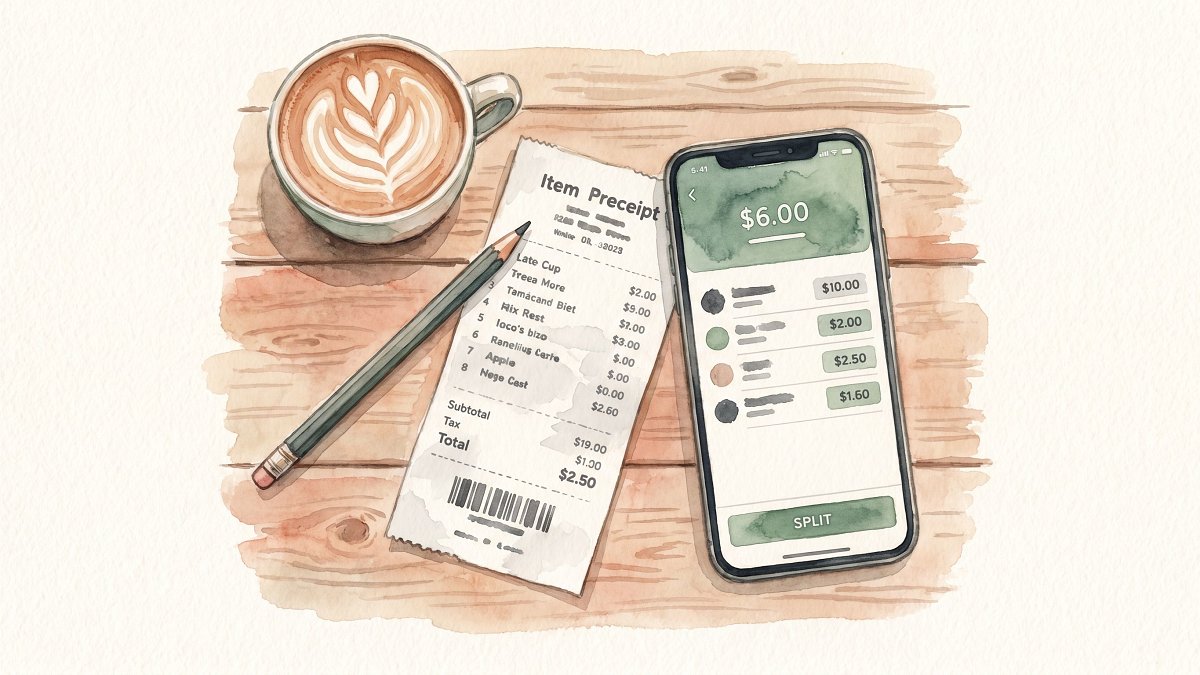
This is the most common reason to dispute split amount calculations. The bill at the table reads $124.30, but the spreadsheet at home says $134.30. Someone added a $10 tip column twice, or typed the post tax total into the pre tax field, or simply misread a 4 for a 9 on the receipt.
The fix is to rebuild from the receipt, not from the total. Find the printed subtotal. Add tax. Add tip on the pre tax subtotal (most calculators, including the published Pearson tip calculator and the Splitwise in app helper, compute the tip from the pre tax subtotal so the server is not taxed on the tax). Compare to what the app stored.
Worked example. Four people eat in New York City. Subtotal $85.00. NYC sales tax 8.875%, so tax equals $7.54. The group tips 20% on the pre tax subtotal, which is $17.00. Total $109.54. Each person owes $27.39 when split equally. If your group ledger says $30.00 each, someone applied the tip after tax (which gives $109.94, then 20% on the post tax total adds $0.54 of unearned server tip) or rounded each share up to $30.00 to "make it clean".
If you used Splitwise, open the expense, tap the pencil icon, fix the amount, and save. Splitwise logs the change in Recent Activity so the rest of the group sees the diff without you needing to argue. According to Splitwise's official help center documentation, every group member has equal permission to view, edit, or delete a bill, and the old version of an edited expense is preserved as a comment on the new one. There is no admin override; the audit trail is the audit trail. The cleanest way to dispute split amount errors here is to fix the number first and explain the fix second.
If you used Tricount, go to the expense, tap edit, and update the amount. Tricount sends push notifications to everyone in the group when an entry changes, which means you do not need to explain the edit in the chat: the notification does it.
Paste this into the group chat, swap the numbers for your scenario:
"Quick note on last night, I just re entered the bill from the printed receipt. The subtotal was $85, tax $7.54, 20% tip on the subtotal $17, total $109.54. That puts each of us at $27.39, not $30. I updated the ledger so the numbers match the slip. Let me know if you see anything off."
If you want the full step by step for this exact case, see our companion guide on how to dispute split amount when receipt doesnt match, which walks through three more variants of the same situation.
Duplicate charge: when the same expense lands twice
This is the scenario where you most often need to dispute split amount entries because the math itself was right; it just got entered twice. Two people log the same $86 Uber ride the morning after a night out, neither of them realizes the other already did it, and the ledger now shows $172 instead of $86. Or worse: the app's email scanner ingests the same Lyft receipt twice because it appeared in two inboxes (yours and the one you forwarded it to).
The rule is keep the earliest entry, delete the later one, leave a comment. The earliest entry has the original timestamp, which matters if anyone ever needs to reconstruct what happened.
Worked example. Friday night cab home: $86.00, split between four roommates. Each person owes $21.50. On Saturday morning, two people both add the expense, so the ledger now shows $172 total, with each person owing $43.00. The difference is $21.50 per person. Catch the duplicate the same week, before anyone settles up, and you avoid a chain of small Venmo reversals.
In Splitwise, tap the second entry, hit the three dot menu, choose Delete, and add a one line note: "Duplicate of [date] [amount], removed". In Tricount, swipe left on the expense and tap the trash icon. In PayPal, which now has its own bill splitting feature per NerdWallet's 2024 bill splitting roundup, you cannot delete a money request you have already sent: you cancel it from the Activity tab if the recipient has not paid yet. The pattern across all three apps is the same: dispute split amount issues by deleting the later duplicate, not the earlier original.
A separate and rarer flavor of "duplicate" is the double card charge, where your bank statement shows the same merchant charge twice on the same day. That is a chargeback territory issue, not a friend dispute. The U.S. Federal Trade Commission billing error guidance requires you to contact your card issuer in writing within 60 days of the statement on which the error appeared. The issuer then has 30 days to acknowledge your complaint and up to two billing cycles to resolve it. Settle the friend ledger from the corrected amount, not the duplicated one.
Paste into the group chat:
"Heads up, I just deleted the Saturday entry for the cab because the same ride was already in there from Friday night. Earliest entry stays, $86 total, $21.50 each. Recent Activity in Splitwise shows the delete with my name on it. No money to claw back since nobody had paid yet."
For the deeper playbook on this scenario, read our piece on dispute split amount, the duplicate charge version, which covers email scanner duplicates and recurring autopay double posts.
Wrong payer recorded: when the IOU points the wrong way
Tapping the wrong avatar in the "Paid by" picker is a one second mistake that flips the entire ledger. If you record that Sam paid for the $200 hotel when actually Alex paid, the app shows Sam is owed $150 by the other three, and Alex shows up as owing $50. Reality is the reverse.
This is the second most common reason to dispute split amount calculations, after the receipt mismatch. The fix is purely mechanical: open the expense, change the "Paid by" person, save, and verify the balances flipped in the right direction.
Worked example. Group of four on a ski trip. Alex puts $200 on her card for the cabin's deposit. In the app, you tap the wrong avatar and record it as Sam. The split is $50 each. Result: Sam appears to be owed $150 by the other three, Alex appears to owe Sam $50. After the fix, Alex is owed $150 by the other three, Sam owes Alex $50. Net movement to your wallet from the correction: $100 in the right direction, if you are Alex.
A common follow up worry: did anyone already pay Sam before the fix? If yes, that is a separate refund question. Settle that with the people involved, do not delete the corrected expense to "balance it out". Layering an extra wrong entry to cancel an old one breaks every future audit.
The Splitwise wiki style permission model means Alex herself can edit the entry to dispute split amount accuracy, even though Sam was originally listed as the payer. Anyone in the group has the permission. That is by design: the app trusts the group to police the ledger collectively. The change appears in Recent Activity with Alex's name on it.
Paste into the group chat:
"I just fixed the cabin deposit, the original entry had Sam as payer but it was actually on my card. I updated 'Paid by' to me and the balances now show me up $150 with each of you down $50. If anyone already paid Sam the original wrong amount, ping me directly and we will sort it without touching the ledger."

Currency conversion error: when the FX rate moved overnight
You ate dinner in Paris last Tuesday. The check was €100. Your bank statement landed Friday at $108.42. The person who entered the expense used today's phone wallet rate, which gave $115. The €7 gap, split four ways, is $1.75 per person. Small dollar but big principle: the conversion rate to use is the one your bank or card actually applied on the day of the transaction, not a live rate from your wallet app three days later.
Here is where the choice of FX provider matters. Wise uses the mid market rate (the rate banks use among themselves) and charges a transparent fee, typically as low as 0.43% for U.S. customers. Revolut Standard plan users get 1,000 USD/month of currency conversion at the interbank rate for free, then pay a 0.5% fair usage fee, plus a 1% weekend markup from 5 pm Friday to 6 pm Sunday on every plan tier because international currency markets are closed during those hours. The fee schedule is documented in Wise's published comparison of Revolut fees. If the meal was Friday night in Paris and the charge converted on Saturday at the weekend rate, your "real" cost is 1 percent higher than the mid market quote your friend showed in the chat.
Worked example. Six way split bill, dinner total €100. Person who paid is on Revolut Standard. The transaction posted at 7 pm Friday Paris time, mid market rate 1.0850. Add the 1% weekend markup, effective rate becomes 1.0959. Your true dollar cost is $109.59, not $108.50. Each of six people owes $18.27, not $18.08. The $0.19 difference per person feels trivial; over a 14 day trip with 20 logged shared expenses, it adds up to roughly $3.80 per person.
To dispute split amount entries that have FX in them, get the actual posted amount in the home currency from the bank statement or card app, then enter that into the group ledger. If the foreign currency receipt is the source of truth, leave the amount in euros and let the ledger do the conversion at the bank rate on the transaction date. Either method works; mixing them is what creates disputes. The NYT Wirecutter bill splitting roundup flags multi currency support as one of the main differentiators between apps in their ranking, alongside audit history.
Paste into the group chat:
"I just updated the Paris dinner. My Revolut statement shows the actual posted charge was $109.59 (Friday night weekend rate applied). Original entry used the live rate at 1.0850 and missed the 1% markup. Updated total $109.59, split 6 ways, $18.27 each. Receipt screenshot in the thread above."
For more on FX gotchas in shared expenses, our companion piece on working out dispute split amount for currency conversion error covers the eight providers most travelers actually use.
Tip counted twice, amount rounded up, and the auto category trap
These three are the small ones, and they show up most often when an app is doing too much for you.
Tip counted twice
Restaurants in the U.S. increasingly add an automatic 18 to 20% gratuity on parties of six or more. The card reader then asks you for a tip on top, and you tap 20% out of habit. Then the friend who paid types the receipt total into the ledger, which already had tip in it, but the app's "auto tip" toggle is on, and a fresh 18% gets added. You now have a 36 to 40% tip, which has to be unwound.
Worked example. Restaurant subtotal $85. Auto gratuity 18% = $15.30. Receipt total $100.30. The card holder adds a $5 line item tip on the terminal "just to be nice". App auto adds 18% on $100.30 = $18.05. Final logged total $123.35 instead of $105.30. The over tip is $18.05, which on a four way split is $4.51 per person.
The rule: before you split a restaurant bill, look at the printed receipt for the words "service charge", "gratuity included", or "auto gratuity". If you see any of them, turn off auto tip in the app and enter the receipt total as is. The Pew Research Center November 2023 survey of 11,945 U.S. adults reports that 72% of Americans say tipping is expected in more places today than it was five years ago, which is why these double tip situations are getting more common, not less. To dispute split amount errors caused by a double tip, you need both the printed receipt and the in app entry side by side.
Amount rounded up
Splitting $97.30 six ways gives $16.2166... per person. Apps round to the nearest cent: $16.22 each. Six times $16.22 is $97.32, which is two cents over. Some apps round each share up to $16.25 to "make it clean" for whoever pays. Now you have $0.20 extra in the system. Over twenty splits per trip, that is $4.00 of mystery cash, which is the kind of slow leak that prompts someone to dispute split amount entries weeks after the trip is over.
The right move: let one person absorb the rounding difference. In Splitwise, that person is whoever paid the original expense, by default. In Tricount, the app distributes the rounding so the total matches the bill exactly. Do not "round to the dollar" unless the whole group agreed to.
Auto detected wrong category
OCR (Optical Character Recognition, the tech that reads receipt photos) is good but not perfect. A $60 Whole Foods receipt might get tagged as "Dining out" because the OCR pattern matched "Foods" against restaurant keywords. If your trip budget tracks groceries and dining out separately, the dining out line blows up while the grocery line stays empty, and someone eventually pings the chat to dispute split amount totals that look out of line with the food budget.
Fix it in seconds: open the expense, change the category, save. Recategorization does not change who owes what; it changes which budget bucket the expense rolls up into. If you use a Splitwise Pro subscription ($40 per year, per their pricing page) for trip dashboards, this matters; if you just split and settle, it does not.
Third party correction: when an outsider changes the math
This is the awkward one, and the hardest variety of dispute split amount situation to handle calmly. The original payer logged the expense. Three days later, a friend who was not even at the meal opens the app and "fixes" the amount because they remembered hearing about an extra round of drinks. Or a partner of one of the group members logs into the shared account and adjusts numbers because they think the math was unfair.
In a wiki style permission model (which Splitwise uses), this is allowed. The Splitwise design rationale, published in their help center, says: "On Splitwise, a person can view, edit, or delete a bill if they are involved in that bill, or they belong to the group which that bill is a part of." There is no admin override. The fix is social, not technical.
Worked example. Dinner bill of $46 entered correctly by Alex. Two days later, Jordan (who was at the dinner) edits the entry to $52, adding "$6 extra round of beers I think we forgot". The ledger updates, three other people now owe an extra $1.50 each. Two of them notice the change because Splitwise pushed a notification ("Jordan updated 'Tuesday dinner'"). One responds: "Wait, I do not remember an extra round, can you check the receipt?" Jordan finds the receipt, sees no extra round was added, and reverts to $46.
The rule: never change a number without writing a one line comment explaining why and pointing to the receipt or memory you are using. The change itself is fine; an undocumented change is what causes the next dispute.
In PayPal's recently launched bill splitting feature, the original requester can edit or cancel a request before it is paid, but third parties cannot. That is a more restrictive permission model than Splitwise or Tricount. The r/personalfinance wiki on Reddit recommends keeping receipt photos in a shared album for any trip over $200 of group spend specifically to short circuit these "I remember it differently" arguments and the dispute split amount loops they trigger.
Paste into the group chat:
"Jordan, I see you edited the Tuesday dinner from $46 to $52 with a note about an extra round. I just checked the receipt photo I took (link above), and the printed total is $46. Reverting to $46 for now. Happy to add the extra round as a separate entry if you can find the second receipt or remember roughly when we paid."
A reusable script to dispute split amount in any group chat
Here is the five step playbook. Bookmark it, copy it, adapt the wording to your voice.
- Lead with the receipt, not the feeling. Open with "I just looked at the receipt and the math seems off" rather than "I think Sam overcharged me". The receipt is neutral; the accusation is personal.
- State the original number and the corrected number. Spell out both. "Original logged $134.30, corrected total from the printed receipt $124.30." Numbers calm the chat down faster than adjectives.
- Show your work in one line. "$85 subtotal plus $7.54 tax (8.875%) plus $17 tip on subtotal (20%) equals $109.54 total, $27.39 each four ways." If anyone disagrees, they have something concrete to push back on.
- Name the app action you took. "Updated the Splitwise entry, change shows in Recent Activity under my name." Naming the action signals you already made the fix; the chat just has to confirm.
- Close with a low pressure question. "Anything I missed? Tell me if you see it differently." Leaves the door open without sounding defensive. End the message there. Do not add the smiley face.
The script works because it treats the dispute as accounting, not arbitration. According to NerdWallet's 2024 group travel money guide, most money tensions on group trips come from ambiguity rather than from one person actually being stingy: people overestimate how often a friend is "trying to get out of paying" and underestimate how often the app simply got the math wrong. The five step script reframes every dispute split amount conversation as a request to recheck a number, not as an accusation.
When the simple rule breaks down
The five step script handles roughly 85 percent of attempts to dispute split amount issues. The other 15 percent need more than a ledger edit.
The first edge case is a settled expense. Once everyone has Venmoed or Zelled, you cannot pull money back through the app. Venmo's own help center states clearly: "Payments on Venmo generally cannot be canceled once they have reached the recipient's Venmo account, even if you accidentally paid the wrong person." The remedy is a fresh charge in the reverse direction, not an attempted reversal. To dispute split amount errors after settlement, edit the original expense for the record, then send a payment request for the difference.
The second edge case is a recurring expense set on autopay, like a roommate utility bill. If the dispute is about a single month and the autopay split is right going forward, do not pause the autopay. Add a one off adjustment expense ("Dec utility correction, +$12 to Sam") and let the next monthly balance absorb it.
The third edge case is someone who keeps editing their own entries without telling the group. That is a trust issue, not a math issue. Move the high value categories (rent, hotel deposits, flights) to a separate group or a Nudj Table where edits get a fresh round of notifications, and reserve the main group for low stakes day to day spend.
FAQ : how to dispute split amount calmly
How do I dispute split amount on Splitwise without starting an argument?
Open the expense, tap the pencil icon, correct the number, save. Splitwise records the change in Recent Activity with your name on it, and the old version is preserved as a comment. Then post one line in the group chat that explains the correction and points to the receipt. The data trail does the heavy lifting; you just summarize it. The wiki style permission model means you do not need anyone's approval to make the fix.
What is the fairest way to split a four way bill that includes tax and tip?
Calculate tax and tip on the pre tax subtotal, then split the grand total equally. Example: $85 subtotal, $7.54 NYC tax at 8.875%, $17 tip at 20% of subtotal, $109.54 total, $27.39 per person. Splitting the subtotal first and adding tax and tip after produces the same number for an equal split, but the order matters if anyone is on an itemized split (ordering different prices).
How do I dispute split amount when the currency conversion looks wrong?
Use the actual posted amount in your home currency from the bank statement or card app, not the live rate from your wallet at the moment of the dispute. If your friend paid in euros and the receipt is in euros, leave the ledger entry in euros so the conversion happens at the bank's rate on the transaction date. Mixing receipt currency with wallet currency is the most common cause of FX disputes.
Can a friend really delete an expense I logged?
On Splitwise and Tricount, yes. Any group member can edit or delete any entry. The change is logged in Recent Activity (Splitwise) or push notified to everyone (Tricount). On PayPal's bill splitting feature, only the original requester can edit a request before it is paid. The wiki style design trusts the group to self police; if it is being abused, move the high value spend to a smaller, more locked down group or Table.
What if we already settled up and then found the mistake?
Edit the original expense to the correct amount for the record, then send a payment request for the difference. Do not try to reverse the original Venmo or Zelle payment; once those funds are in the recipient's account, the payment app will not pull them back. The r/personalfinance wiki on Reddit recommends settling small reconciliations through a follow up payment rather than reopening the original transaction, because the audit trail then stays clean and you can still dispute split amount errors months later if needed.
How do I avoid auto tip being added twice?
Before you split, look at the printed receipt for "service charge", "gratuity included", or "auto gratuity". If you see any of them, turn off auto tip in your splitting app and enter the receipt total as is. Restaurants increasingly add automatic gratuity on parties of six or more, and the card terminal then asks you for a tip on top, which is the second source of the double tip.
How long do I have to dispute a duplicate credit card charge?
The Federal Trade Commission gives you 60 days from the statement on which the error appeared to contact your credit card issuer in writing. The issuer must acknowledge your complaint within 30 days and resolve it within two billing cycles, capped at 90 days. That is a separate process from disputing the split amount in your friend group; settle the friend ledger from the corrected amount after the card issuer reverses the duplicate.
Does the choice of app actually matter for disputes?
It matters more than people think. Apps with a clear Recent Activity log (Splitwise, Tricount) make it easier to dispute split amount entries because the audit trail is automatic. Apps with no edit history are harder, because the only record is the current state. The NYT Wirecutter bill splitting roundup emphasizes audit history and multi currency handling as the two features most likely to prevent disputes in the first place.
How Nudj keeps the math clean
Nudj is a 100% free social ledger built around the rituals friends already use to dispute split amount issues: drop a debt into the ledger, nudge a repayment, square up at the end of the trip. There is no premium tier, no ad layer, no bank link, no card on file. Nudj does not process payments and is not a bank or money services business. It is a clean record of who owes whom, and a polite way to ask for it back.
Drop and Nudge. Log any shared expense with a tap. When it is time to be paid back, send a Nudge: a short, low pressure reminder that lands in the recipient's app, not their bank statement. Group chat noise stays in the group chat; the math stays in Nudj.
Circles and Tables. A Circle is the open ended friend group: the four roommates, the six person ski trip, the eight college friends who keep going to dinner. A Table is a dedicated container for a recurring context, like a weekly poker night or a monthly book club dinner. Tables keep recurring expenses out of the Circle so the day to day ledger does not get cluttered, which makes disputes easier to find and faster to fix.
Square Up and Pass. Square Up is two sided confirmation: when you say a debt is settled, the other person taps to confirm. No more "I sent it" / "I did not get it" loops. Pass simplifies tangled chains of debts within a group, so that instead of three Venmo transfers, one person pays one person and the math nets out.
Need a written agreement before you start splitting rent, utilities, and the recurring grocery run with a roommate? Pair Nudj with our free roommate agreement template in the sidebar. The template covers the seven things roommates argue about most: rent share, utility share, grocery scope, guest policy, cleaning rotation, repair responsibility, and what happens when someone moves out early.
Conclusion
Most disputes about shared bills are not about the money. They are about feeling like the math is opaque and someone is going to lose track. The five step script in this guide gives you a calm, paste ready way to dispute split amount issues with friends or roommates without setting off anyone's defenses, while the eight scenario table tells you exactly which row of the ledger to fix. Bookmark the table, save the script, and the next time the group chat goes quiet after a long dinner, you will know exactly what to type to get the math right and the night back on track. To dispute split amount calculations cleanly, you do not need a finance degree, you need a receipt, a script, and a ledger that keeps an honest record of every edit.
À lire également :
- How to Dispute split amount When Receipt doesnt match
- Dispute split amount, the duplicate charge version
- Wrong payer recorded and dispute split amount: how to keep it fair
- Working out dispute split amount for currency conversion error
- What to do about tip counted twice
- The amount rounded up fix, with a script
- Auto detected wrong category, sorted in five minutes
- A fair rule for third party correction
Sources :
- Splitwise help center, Why can other people edit or delete expenses that I add? : Splitwise, 2024
- Tipping Culture in America: Public Sees a Changed Landscape : Pew Research Center, November 2023
- Survey: 70% of restaurant-goers always tip at sit-down restaurants : Bankrate, 2025
- Revolut fees and charges guide : Wise, 2024
- Split the Bill, Avoid the Headaches With These Credit Cards and Apps : NerdWallet, 2024
- How to Handle Money Situations on a Group Trip : NerdWallet, 2024
- I accidentally paid a stranger on Venmo : Venmo Help Center, 2024
- Using Credit Cards and Disputing Charges : U.S. Federal Trade Commission, 2024
- The best bill splitting apps : NYT Wirecutter, 2024
- r/personalfinance wiki : Reddit, 2024
- Split expenses with friends, Splitwise calculators reference : Splitwise, 2024
- Tip Calculator: Calculate Restaurant Tips and Split the Bill : Pearson, 2024